🛠️ What Have You Done To Your LC250 Today?

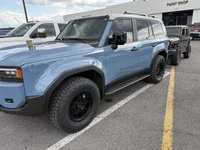
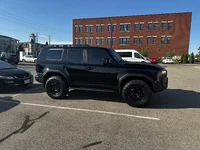
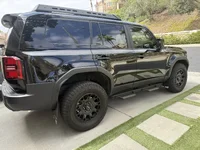
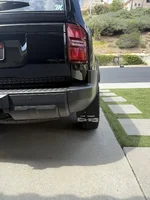
Had the new wheels and tires installed
Method 705 and 285/70/17 Terra G3
 

Attachments

  • IMG_5853.webp
    IMG_5853.webp
    457.6 KB · Views: 356
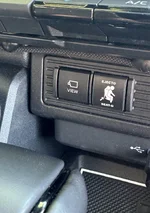
Goofy I know, but $3 added to another order. Just gonna see how long it takes anyone to notice it.
I think it's great! I have one in my Taco that states "Turns On Something", I find it hilarious....... my daughter thinks "Dad your too old for that"...... LOL
 
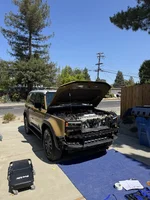
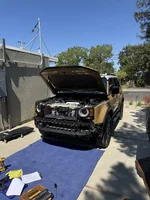
Swapped out the rectangular headlights with circular! Was a pretty straightforward process although the entire bumper has to come off. Planning to sell my rectangular headlights if anyone is interested. 👀

View attachment 47502
Looks great! I've been tempted to do the same. Do the work yourself and if so, Did you have to take it to the dealer for computer resets for the new lights, calibration, etc?
 
Looks great! I've been tempted to do the same. Do the work yourself and if so, Did you have to take it to the dealer for computer resets for the new lights, calibration, etc?
Yes, did the work myself with some help from my wife (it's good to have a second set of hands especially when you pull the front bumper off). Still need to take it into the dealership to do the initialization process (it throws an error message in the cluster every key cycle). Functionally no issues though, all the lights turn on, auto works, as well as the auto high beams.
 
I think it's great! I have one in my Taco that states "Turns On Something", I find it hilarious....... my daughter thinks "Dad your too old for that"...... LOL
For my marker lights I almost bought “hold my beer “ but knew where it was, only I would see it. And I know it’s stupid.
 
For my marker lights I almost bought “hold my beer “ but knew where it was, only I would see it. And I know it’s stupid.
Not dumb at all in my opinion! I’m thinking about paying a good chunk of change to fill some of my blanks with comedic buttons that will light upon pressing but otherwise do nothing. If I like it, money well spent!
 
Tell us more... And also show how it's powered and how/if you hid the wiring...
I popped out the dashboard from the passenger side, held only by clips, and ran a slim cable tie that wraps around a clip inside and anchors the screen in place.. Since the screen is resting on top of the dashboard, it only needs a single anchor on the back to keep it secured in place.. i tried to take a picture:
IMG_6936.jpeg


As for the power, it’s a flat usb c cable that i ran in between the panels and plugged it in the trunk:

IMG_6932.jpeg


Im sure there’s a more professional way of doing it, but I wanted to keep the installation completely reversible, while trying to achieve a factory look with no visible mounts or cables.. and I avoided removing too many panels..

Found the screen on amazon: https://www.amazon.com/dp/B0FFFZ56R3?tag=landcruiserforum-20
 
I popped out the dashboard from the passenger side, held only by clips, and ran a slim cable tie that wraps around a clip inside and anchors the screen in place.. Since the screen is resting on top of the dashboard, it only needs a single anchor on the back to keep it secured in place.. i tried to take a picture:
View attachment 47548

As for the power, it’s a flat usb c cable that i ran in between the panels and plugged it in the trunk:

View attachment 47549

Im sure there’s a more professional way of doing it, but I wanted to keep the installation completely reversible, while trying to achieve a factory look with no visible mounts or cables.. and I avoided removing too many panels..

Found the screen on amazon: Amazon.com

That looks great but is there an airbag behind it? That would be dangerous in a minor impact.
 
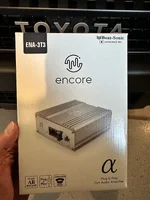
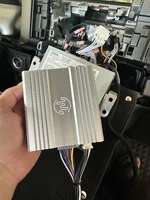
Added an amp. Install was super simple following one of the several Beat Sonic videos on YouTube. Took less than an hour.

Sounds much better but a speaker upgrade will be next.
 

Attachments

  • IMG_6221.webp
    IMG_6221.webp
    156 KB · Views: 206
  • IMG_6220.webp
    IMG_6220.webp
    219.3 KB · Views: 261
Supporting Vendors View all →
StickerFab
Back
Top Bottom