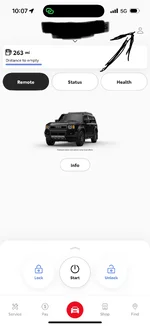
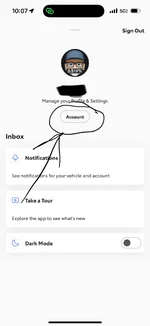
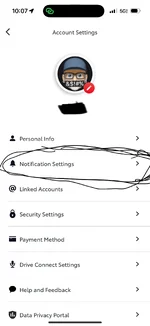
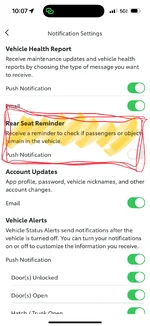
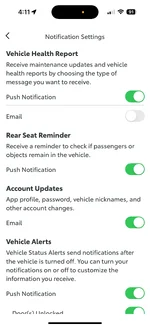
You da man, thank you! Is that notification settings menu new? I don't recall the notification settings having that level of granularity at all - I swear it used to be pretty much either on or off.
Agree with all the other people who think this is a dumb feature because it creates false alerts. First thing i disabled afer 2 days of ownership. Probably just added for Toyota to claim some sort of fleet-wide safety bragging points.
Thanks for this — the manual says this can be disabled but not how. I’d searched the settings in the Land Cruiser and then settings in Carista and could not find it. It didn’t occur to me to check the app!
Edit: unfortunately this didn’t fix it. Where is this in the vehicle settings?
Thanks for this — the manual says this can be disabled but not how. I’d searched the settings in the Land Cruiser and then settings in Carista and could not find it. It didn’t occur to me to check the app!
Edit: unfortunately this didn’t fix it. Where is this in the vehicle settings?