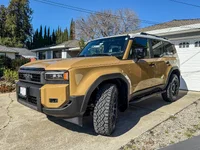
Front dash cam (Garmin x310) with Dongar Pro install.
First many thanks to
@EOD Guy for posting the attached factory dash cam installation directions and his comments about removing the overhead console. And
@StickerFab for the
video on the same. And of course the
@Dongar folks!
First I tried various positions with the camera and the adapter and decided to mount it to the right of the mirror/front cameras. I didn't like the arrangement if it was on the drivers side and I wanted it as high as possible for a better view.
Following the factory install guide, first twist the visor clips counterclockwise about 45 degrees until you can pull them down and out. Next you'll need to release the clips at the top and bottom of the base -- the install guide said to use needle nose pliers, I found it easier to use a pointed trim removal tool to unclip then, then the needle nose pliers to pull them down. Once that's done you can move the headliner down a little.
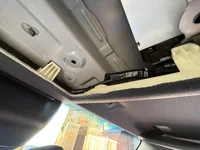
The next and least fun step: remove the overhead console. The really important part is pull down from the front so you don't break the tabs at the back. The video and the instructions make that sound much easier than it is. I tried and failed for quite a while. I finally ended up with this arrangement, old AAA cards to protect the headliner and a couple trim removal tools wedged in place -- I could not get anything to flex enough too get my fingers in there, even the trim removal tools were a challenge. (Please note: pull down, do not pry against the headliner!) Attempts to use one tool at a time failed, the tool would flex and let go. But finally with two I pulled harder and harder until it felt like something was going to break, and then it felt like something broke. Thankfully nothing did. One of the connectors did stay in the ceiling though, I had to use a metal trim removal tool to get it out and put it in the console.
Next up is finding the elusive cable that would power the factory dash cam. Mine was pretty well wrapped up and tucked away, but it's there on the passenger side.
From here things are easy. Again following the factory install guide, pull down the headliner above the windshield just enough to feed the 5 pin Dongar cable through and back to the dash cam power cable. Plug it in, tidy up the extra cable, and tuck it away. Then put the console back up there -- it goes back in way easier than it came down! And put the visor clip bases and clips back up.
I used the needle nose pliers to gently bend the cable at the Dongar Pro end to fit under the headliner better. Then stick the Dongar Pro and the camera mount to the windshield and you're done!
A few final notes: the x310 complains if you don't use the Garmin charger. From what I read, it's looking for 1-2 Amps and is likely to complain on anything less. Also from I read, and from the Dongar folks, should still work fine (and will probably slowly charge) on the ~0.6 Amps provided.
And I went with a different cable to get things a little more out of the way, the straight cable was pushing against the mirror electronics pod. I got two, either will work.
That one is really thick but super soft and flexible. On Amazon:
https://www.amazon.com/dp/B0CM3P37PY?tag=landcruiserforum-20
There's an even shorter one that just reaches, but it's a pretty light weight. On Amazon:
https://www.amazon.com/dp/B0D2CW5ST6?tag=landcruiserforum-20
Hopefully someone finds this helpful! If you have questions let me know.